Wide uses the full column for everything, text, diagrams, code, and exercises. Narrow keeps the standard reading width.
Text size
Scales the body text. Headings and code blocks keep their size.
In this section
▾
Microsoft 365 Security Automation and Orchestration: Course Orientation
Module 0
MICROSOFT 365 SECURITY AUTOMATION AND ORCHESTRATION · MODULE 00
Scale the SOC without scaling headcount. Build the machine that does the work.
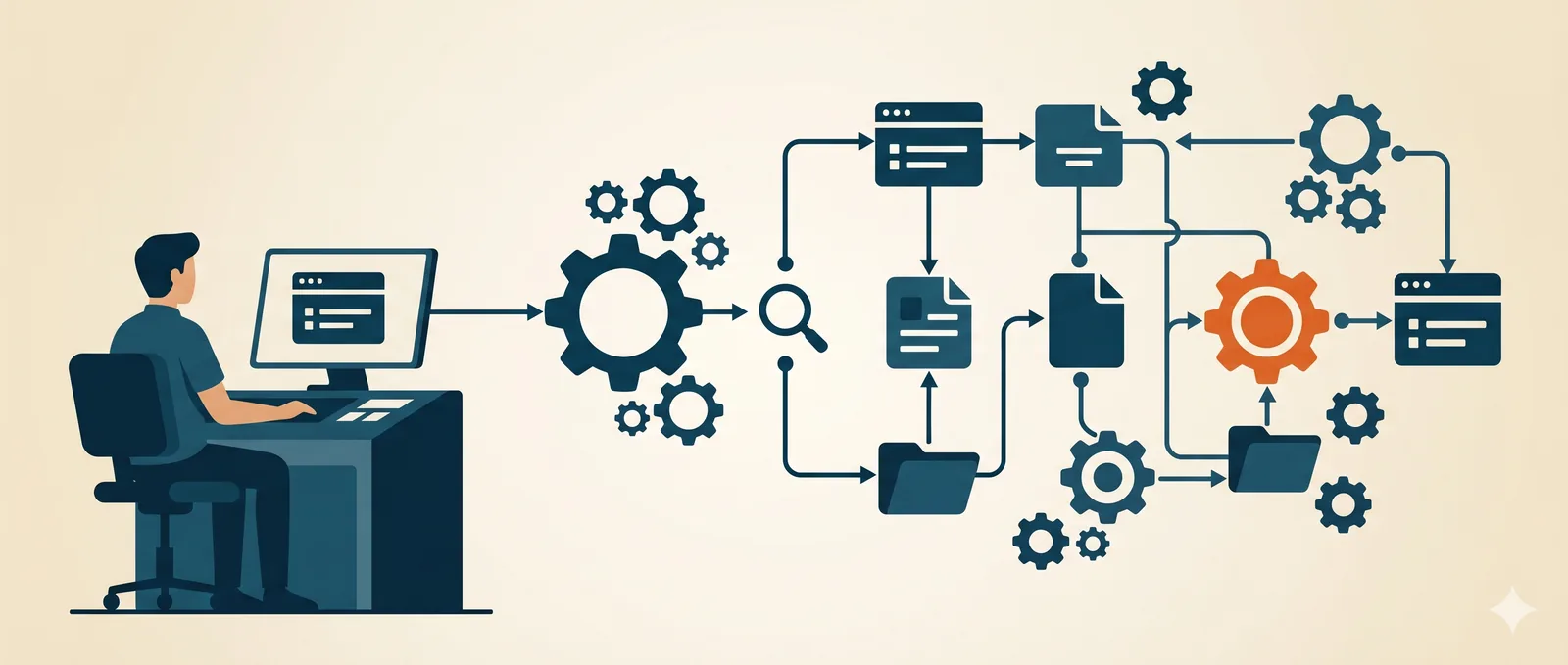
Alert volume grows faster than any team you can hire, and analysts burn out doing the same enrichment, evidence collection, and containment by hand on every incident. This course teaches you to build the automation that does that work: Sentinel and Logic Apps playbooks that enrich alerts, collect evidence, and contain threats across identity, endpoint, and cloud, with the governance and testing that make them safe to run unattended. You leave with playbooks you have actually built. This module shows you what you'll build, the pipeline it runs through, and how the course gets you there.
14 modules
across 4 phases
Built playbooks
Sentinel + Logic Apps
Auto-contain
identity, endpoint, cloud
No prerequisites
every concept built up
Why this course exists
A SOC does not scale by hiring. Alerts arrive faster than you can add analysts, and the work that fills the queue is the same every time: pull the context around an alert, gather the evidence, decide, and contain. Done by hand on every incident, it burns people out and still leaves a backlog, and the obvious fix, automate it, is the thing most teams never get right. Not because the tools are missing, but because reliable automation is hard to build: you have to know what is actually safe to hand to a machine, how confident you need to be before it acts, and how much damage it could do if it acts wrongly.
This course teaches you to build that automation properly. You design and build playbooks that enrich alerts, collect evidence, and contain threats across identity, endpoint, and cloud, and you do it with the judgment that makes them trustworthy: the confidence threshold an action has to clear, the blast radius you are willing to risk, and the testing and governance that let a playbook run unattended without becoming the incident. You scale the SOC by building the machine that does the work, not by adding more hands to do it manually.
What you will be able to do
This course is built around the playbooks you can run at the end, not the connectors you can name. Every module builds one piece of the automated SOC and the judgment behind it.
Build the automation foundation
Learn Sentinel automation fundamentals and the judgment for what is safe to automate, where confidence and blast radius decide the answer.
Automate enrichment and collection
Build playbooks that enrich alerts, collect evidence automatically, and handle notification and escalation without an analyst in the loop.
Automate containment
Build auto-containment across identity, endpoint, and cross-environment, so a confirmed threat is isolated in seconds, not hours.
Orchestrate across the stack
Drive Defender XDR automation, KQL-driven automation, and Azure Functions to connect the whole response into one workflow.
Test and govern automation
Put testing and governance around your playbooks so they run unattended safely and never become the incident themselves.
Build the automation program
Assemble the pieces into an automation program and stand up the complete automated SOC in the capstone.
You also leave with things you keep: fully built Sentinel and Logic Apps playbooks for auto-containment and evidence collection, an automation governance framework, the complete automated-SOC program from the capstone, and the operations cheatsheet.
The pipeline you will build
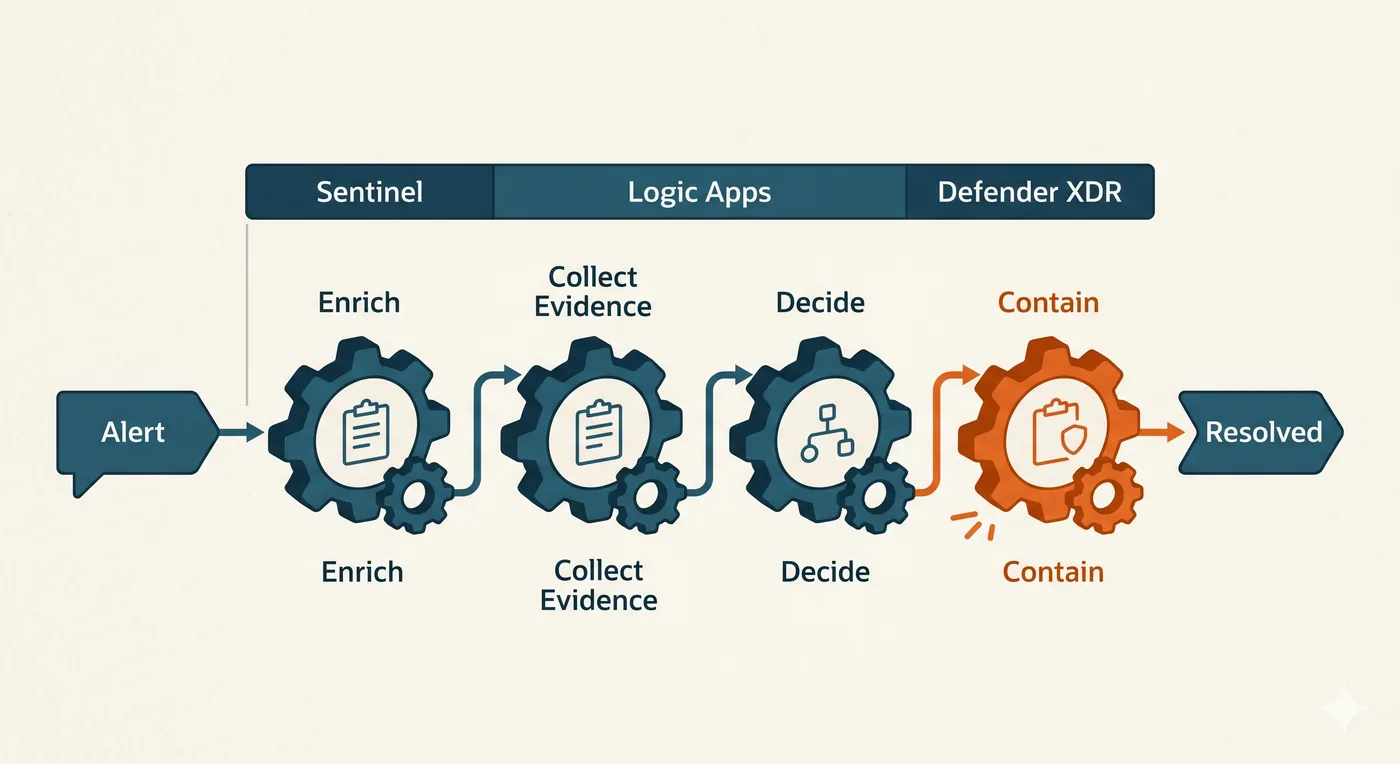
An automated response is a pipeline. An alert fires, and instead of landing in a queue it flows into a playbook that enriches it with context, collects the evidence, decides whether the verdict is confident enough to act on, and contains the threat, ending resolved without an analyst touching it. That pipeline is orchestrated across the platforms you already run, Sentinel for the trigger and analytics, Logic Apps for the workflow, and Defender XDR for the response. This course builds every step of it, and the judgment that decides when each step is safe to run on its own.
You build this against Northgate Engineering, 810 staff on Sentinel and Defender XDR, using Logic Apps, KQL, and Azure Functions to wire the playbooks together, and a free M365 E5 developer tenant gives you a live environment to build and run every workflow. The discipline is what carries: knowing what to automate, setting confidence thresholds, weighing blast radius, and governing what runs unattended are how you automate response on any platform, so the playbooks you design here translate to Splunk SOAR, Cortex XSOAR, Tines, and any orchestration tool. Sentinel and Logic Apps are the implementation; automating the SOC is the skill.
How the course is built
Fourteen modules move through four phases. You ground the automation problem and the fundamentals, build enrichment and collection, then response and containment, then operational mastery, orchestration, governance, and the program, ending with the automated-SOC capstone.
What you need and who this is for
There are no prerequisites, and every concept is explained the first time it appears. This course is for anyone trying to make a SOC keep up without doubling its size: analysts drowning in repetitive triage, detection engineers who want their detections to act, SOC leads scaling the team's output, and automation engineers building the orchestration layer.
Transferable automation discipline
Knowing what to automate, setting confidence thresholds, and governing what runs unattended work on any platform. Sentinel and Logic Apps are the implementation; the playbooks port to Splunk SOAR, Cortex XSOAR, and Tines.
A live tenant to build in
A free M365 E5 developer tenant gives you a real Sentinel and Defender environment to build, run, and test every playbook end to end.
How to get the most
Build each playbook against your own painful workflow and run it on real alerts. Keep the ones that act reliably, that is how your production automation gets built.
Do I already know this material?
Six quick scenarios across the full range of this course, from what to automate first to governing automation at scale. Answer them to find out where you sit, and whether this course fits or it will sharpen knowledge you already have.
You are starting SOC automation. Which is the right first thing to automate?
Automatically disabling any account that triggers an alert.
Alert enrichment: automatically attaching context like user risk, geolocation, device, and related events so analysts triage faster; it is low risk and reversible, unlike destructive actions.
You automate from the safe end first. Enrichment only adds context, so a mistake costs nothing and the payoff is immediate. Destructive actions come later, with guardrails, once the program is mature.
Deleting suspicious emails tenant-wide.
Nothing should ever be automated.
What is the strongest reason to automate SOC response, properly understood?
To make response faster and consistent, removing the variance and delay of manual steps, so analysts spend their judgment where it actually matters.
Automation's real value is consistency and speed on the repeatable work, which frees scarce analyst judgment for the decisions that need a human. It is a force multiplier, not a headcount cut or a fashion statement.
To replace analysts and cut headcount.
Because automation is fashionable.
To reduce the need for detections.
You build a playbook to auto-disable any account that triggers a sign-in risk alert. What is the danger, and the better design?
No danger; fast containment is always right.
The playbook will simply run too slowly.
A false positive auto-locks legitimate users at scale; gate high-impact actions like account disable behind a confidence threshold or human approval, and reserve full automation for low-blast-radius steps.
Automation runs at machine speed, so a noisy detection wired to account disable locks out real users en masse before anyone notices. High-impact actions need a confidence gate or a human; full automation is for the reversible, low-risk steps.
Disabling accounts is impossible to automate.
Why is automating evidence collection at the moment an alert fires especially valuable?
It looks impressive in reports.
Volatile, time-limited evidence such as session state and related logs can age out or be altered before an analyst arrives; auto-collecting it at alert time preserves the picture.
The most useful evidence is often the most perishable, and the gap between an alert firing and an analyst opening it is exactly when it decays. Capturing it automatically at alert time freezes the scene for whoever investigates.
It removes the need to investigate at all.
It reduces storage costs.
A playbook that behaved in testing starts taking unexpected actions in production as alert volume grows. What does this most demonstrate?
Automation should never be used.
An analyst simply made a mistake.
Production is just different and cannot be tested.
Automation acts at machine speed and scale, so it needs the same testing, change control, and guardrails as any production system, plus monitoring for unintended actions.
A playbook is production code that takes real actions. As volume and edge cases grow it will do things you did not foresee unless it is tested, version-controlled, bounded by guardrails, and monitored, the same discipline any production automation demands.
As the automation program matures, how should you decide which actions stay fully automated versus requiring human approval?
Automate everything to maximise speed.
By how new the action is.
By blast radius and reversibility: low-impact, reversible actions run automatically, while high-impact or irreversible ones, like mass account disable or tenant-wide deletion, keep an approval gate.
The right axis is consequence, not novelty or speed. Reversible, contained actions are safe to run unattended; actions that can cause large or irreversible harm keep a human in the loop, which is what lets you automate aggressively without fear.
Require approval for everything, which defeats the purpose.
This course is for you.
You will build security automation from Sentinel fundamentals through enrichment, evidence collection, auto-containment, Azure Functions, and the testing and governance that make it safe.
You have the fundamentals. The value here is the harder half.
You understand what to automate and why, so the payoff is the back half: cross-environment auto-containment, KQL-driven automation, Azure Functions, testing and governance, and building the program to a fully automated SOC.
You handled what to automate first, blast radius, evidence capture, and governance at scale, the senior end of the discipline. Take the course to sharpen what you have, close the gaps you did not expect, and turn strong instincts into an automation program you can run safely.
You are a student of this course now, so start by deciding what you want from it. Are you here to automate one workflow that is eating your week, to build an automation program from scratch, or to scale a SOC that cannot hire its way out of the backlog? Name that outcome, then turn it into a study plan: which parts of the response are costing you the most time, how much time you will give it each week, and what you want running unattended by the time you finish.
The rest of Module 0 sets you up to do exactly that. Work through it to see the automation problem and why most SOCs never solve it, the automation spectrum and the three tiers, the confidence threshold and blast-radius judgment that decide what is safe, the Northgate landscape, the Sentinel and Defender XDR automation architecture, the governance framework, and the maturity model. Then begin Module 1.
Stuck on this lesson?
Your question goes straight to the team and we'll reply by email. Sign in to ask.